Bricks, Bandwidth and Belonging: Making Hybrid Community Spaces Work in 2026

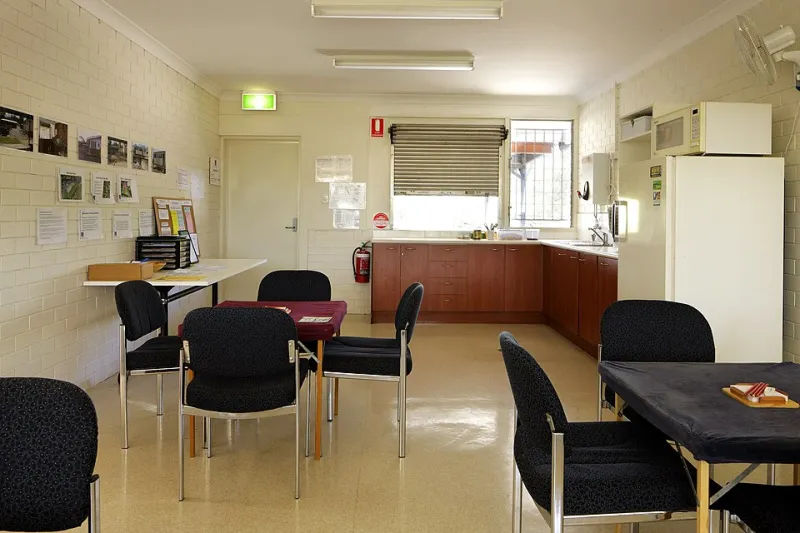
Walk into a village hall on a wet Tuesday in 2026 and you might find the usual: urn, folding chairs, a laminated fire notice. You might also find a laptop propped on a biscuit tin, a projector cable taped to the floor, and three people on a video call who could not make it in person. That is the hybrid community space in its natural habitat — less a futuristic transformation programme and more a pragmatic workaround that happens to work.
The mistake most groups make is treating hybrid as a technical problem. It is really a belonging problem. If the online channel becomes the real decision-making room, the people who cannot or will not use it are quietly demoted. If the physical room carries on as if the screen is not there, remote members become viewers rather than participants. Good hybrid practice is about designing both rooms so nobody is permanently in the corridor.
Start with the room, not the app
Before anyone downloads anything, map the group's existing rhythms. What actually needs to happen? A parish council needs public records, accessibility and clear decision trails. A model railway club needs photo sharing, event planning and a Saturday banter channel. A mutual-aid network needs fast requests, strong privacy and a way to protect vulnerable people. Those are different jobs, and they do not all need the same platform.
Ask three questions. Who needs to receive information? Who needs to discuss it? Who needs to decide it? Announcements, conversation and decisions can live in different places, as long as everyone knows where to look. A public-facing website or noticeboard can be the front door; a private chat or forum can be the common room; a shared drive or newsletter can be the archive. That is already a hybrid stack, even if nobody calls it that.
Build a small stack, not a platform zoo
Most UK community groups do not need five tools. They need a small, legible set of layers. A public website or noticeboard handles the outside world. A private space such as Discord, Slack, Teams or a forum handles day-to-day conversation. A mailing list or SMS list handles people who want updates without another app. A shared drive or minutes page handles the record.
The specific product matters less than the fit. Discord can be brilliant for hobby groups that like channels and roles, but it can feel like a spaceship to someone whose main digital tool is a phone call. Slack and Teams are familiar in workplaces, which helps some volunteers and intimidates others. Signal and WhatsApp work well for small teams, but they are poor archives and weak at role-based moderation. None of these are moral choices. They are trade-offs.
Check cost, data ownership and accessibility before you fall in love with a free tier. Free plans change. Export options vary. Some tools are unusable with a screen reader, or rely on tiny text and colour alone. If the group serves the public, check whether the platform supports your obligations under accessibility rules; even where those regulations do not strictly apply, they are a sensible benchmark. And read the privacy notice properly. 'Free' often means the community's data is the product, or that the group has no real control over retention.
Write the rules before the robots arrive
Moderation is not a setting. It is a rota, a code of conduct and a named person who can step in when a thread goes sour. At minimum, have two admins, a moderator rota and a safeguarding lead. Pin a plain-English code of conduct that says what is welcome, what is not, how to report a problem and what happens next. Put an escalation route somewhere people can find it without asking in the chat.
For groups working with under-18s or adults at risk, hybrid spaces need the same safeguarding thought as physical ones. A Discord role is not a safeguarding plan. Follow your existing policy, seek advice on DBS checks where regulated activity applies, and be careful about private messages between adults and young people. Do not assume that because a space is online it is outside the group's duty of care.
Data protection is the unglamorous sibling of safeguarding. UK GDPR still applies to community groups. You need a lawful basis for holding member details, a privacy notice people can actually read, a retention plan and a way to handle subject access requests. Do not dump a spreadsheet of names into a new platform because it was easier than asking. Consent matters, especially for photos, health information and anything involving children.
Accessibility is a design choice, not a plugin
Captions and transcripts are not optional extras. Neither are agendas sent in advance, plain-text minutes, readable colour contrast and a phone-in option for people who cannot or will not use video. If a hybrid meeting has a chair, the chair should repeat online comments for the room and repeat room comments for the screen. Use a decent microphone. Point the camera at the speaker. Make sure shared slides are legible on a phone.
Accessibility also means not making the app the only route to a decision. If the vote happens in a chat, the person who was at the hall but not on the server has been excluded. Offer a paper or phone route for anything important. Remember that rural broadband, data poverty and device fatigue are real. The local library, community centre or a neighbour's kitchen table may be part of the access plan.
Include the less confident without creating a new in-crowd
Every hybrid group risks creating a new priesthood of admins who know where the settings live. Avoid that by documenting the basics, rotating moderator duties and refusing to let technical knowledge become social power. A digital buddy scheme can help, but it should be one-to-one and patient, not a public performance of who is coping. Reverse mentoring works well too: younger members may help with the tech, while older members help with the relationships and local memory that no platform can replace.
Do not make people feel like a problem for preferring the phone. Offer a call-in number, a printed agenda or a monthly catch-up in the hall. The goal is not to force everyone online. It is to make sure that choosing the offline route does not cost someone their say.
A practical launch checklist
- Name the purposes: announcements, discussion, decisions, records and safeguarding.
- Choose one front door, one common room and one archive. Resist adding more.
- Write a one-page code of conduct and a two-line reporting route.
- Assign admins, moderators and a safeguarding lead by name.
- Publish a short privacy notice and a retention rule.
- Test the platform with a screen reader and a cheap phone before launch.
- Run a hybrid meeting where the chair actively bridges both rooms.
- Keep a phone or paper route for decisions and complaints.
- Review after six weeks. Fix what is confusing; close what nobody uses.
The technology should disappear
The best hybrid community space is not the one with the cleverest bot. It is the one where a member can miss a Tuesday, catch up on the minutes, post a question, get a human answer and still feel like they belong. Bricks and bandwidth should serve the same thing: the relationships that make a community worth joining in the first place. If the platform starts competing with that, it is time to simplify.